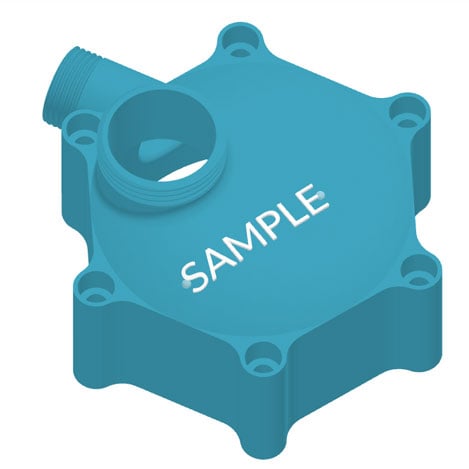
Add labels to curved and freeform surfaces in minutes

Why would you need freeform labels?

In many manufacturing environments, parts need clear identification directly on the geometry. Labels can indicate part numbers, orientation, assembly instructions, ownership, or storage locations, helping teams avoid mix ups and reduce handling errors.

Flat surfaces are easy. The challenge appears when parts have curved or organic shapes, where stickers fail, wear off, or simply do not fit. Integrating labels directly into the model ensures the information stays with the part throughout production and use. 
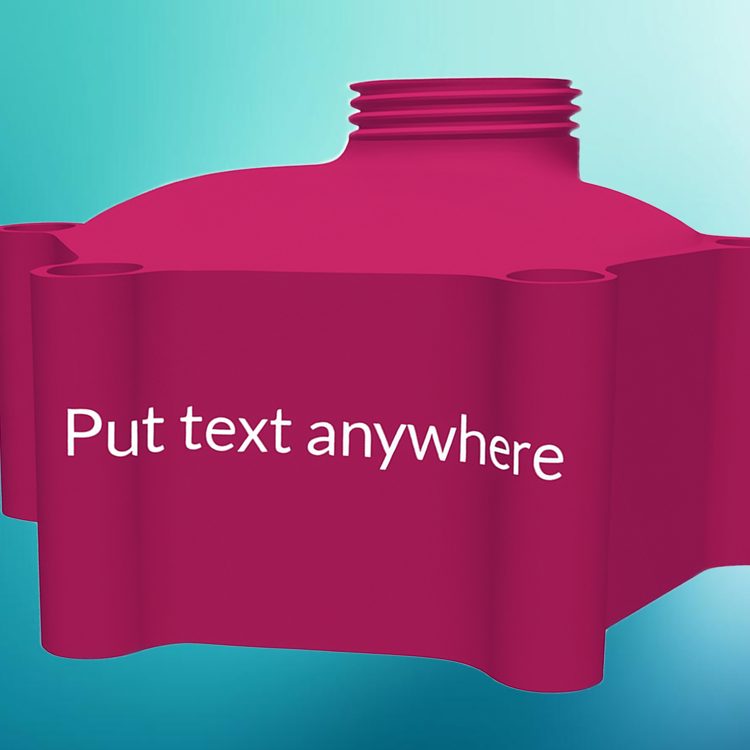
Freeform Label

Challenges of designing freeform labels

Designing labels for curved or freeform surfaces quickly becomes a CAD task. Text must be projected onto complex geometry, adjusted to avoid stretching or distortion, and carefully positioned so it remains readable after printing.

Even small changes, like updating wording or moving a label, often mean repeating several manual steps. For something intended to improve organization and clarity, the process can be disproportionately slow and dependent on CAD expertise.

freeform-labels-4

Design automation for freeform labels

Design automation removes the need to manually adapt text to complex geometry. Instead of modeling each label individually, the process is defined once and applied automatically based on simple inputs.

The user focuses on what the label should say and where it should appear, while the software handles projection, conformity to the surface, and geometric adjustment. This turns labeling from a design task into a quick configuration step.

How the Additive App Suite helps you design freeform labels

The Freeform Labels app in the  Additive App Suite keeps the process simple. You upload an STL file of your existing model, then place text directly onto the surface by clicking a start point and an end point on the geometry. The app automatically aligns and conforms the label to the shape of the model.

You can choose to emboss or engrave the text depending on visibility or functional needs. The result is clean, readable labeling that follows curved or freeform surfaces, without opening CAD, and ready for production in minutes.

Advantages of design automation for freeform labels

Design automation through the Additive App Suite makes labeling fast enough to become part of everyday workflows instead of a separate design task. Labels can be added or updated in minutes, allowing parts to be clearly identified without slowing production.

Because the process is rule based, results stay consistent across different models and users, reducing errors and reliance on CAD specialists. The outcome is simple but valuable: clearer organization, better traceability, and parts that carry their information directly within the geometry.

Get started with the Additive App Suite
Start in 5 minutes | No payment info needed
Try now for free

Explore featured apps